What shipped
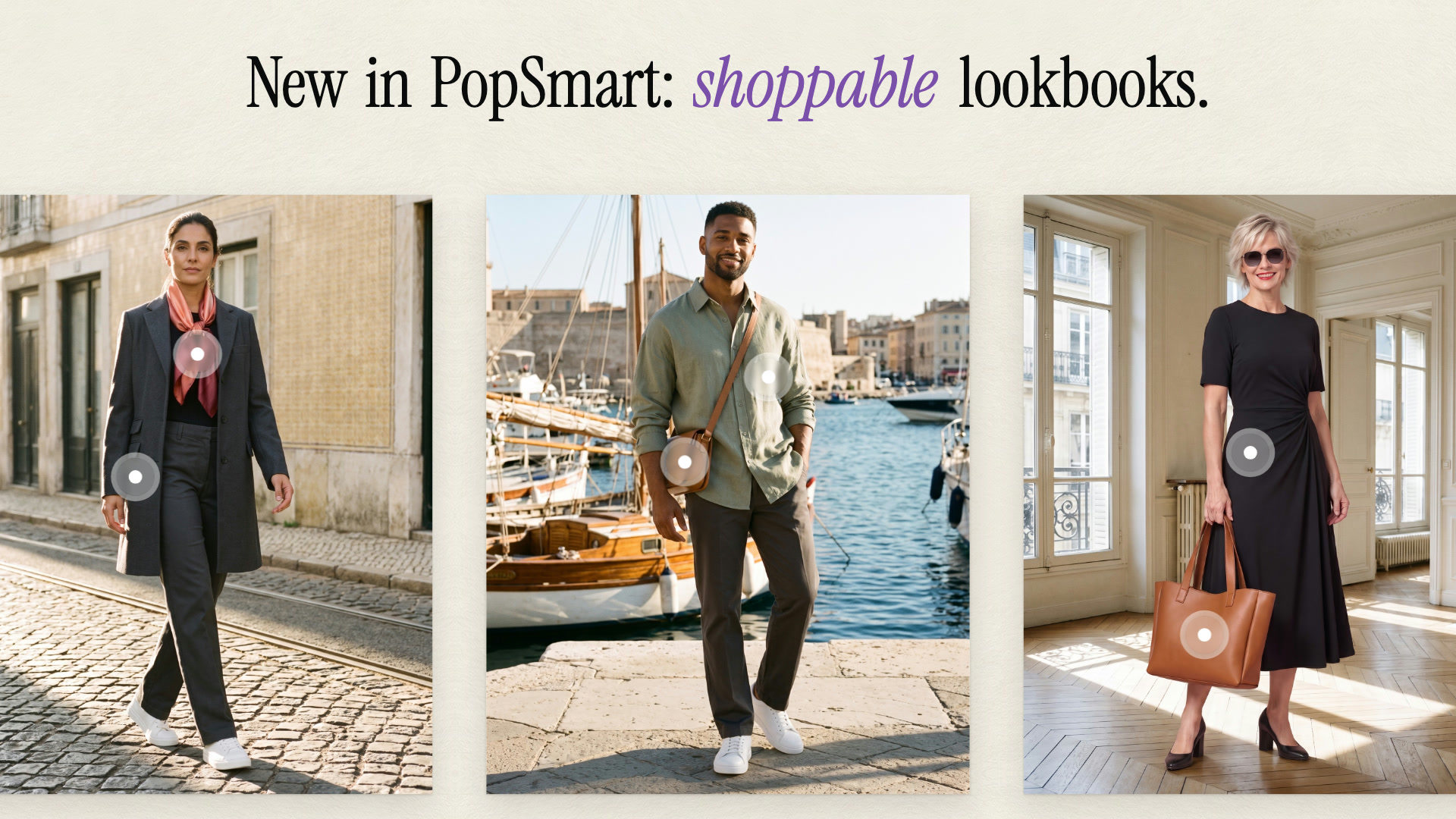
PopSmart AI Virtual Try On now builds shoppable lookbooks. A merchant picks photos, places spots on them and attaches products to each spot. On the store, a shopper taps a spot, chooses a size and adds the item to the cart without leaving the lookbook page.
The video in this post shows the shopper side: three looks, three items added to the cart, and the AI Studio comparison that shows how the look photos were made.
Spots, products and discount codes
Each spot can carry one or more products, a discount code or a link. With several products and a code on the same spot, one tap shows the whole outfit together with its offer. The shopper picks a size in the sheet that opens and adds to cart from there.
Where the photos come from
Lookbook photos can be ones you already have, or ones made in the same app. AI Studio makes a try-on photo and then gives it a new background. The three looks in the video, set in Lisbon, Marseille and Paris, were made that way, and they can be turned into a lookbook right there without leaving the app.
Plans and limits
Lookbooks are included in every plan, including Free. Building and publishing one uses no credits. A store can have up to 100 lookbooks, each lookbook up to 24 looks, and each look up to 10 products.
Try it
PopSmart AI Virtual Try On is on the Shopify App Store. The lookbook section of the product page is at popsmart.ai.